This is an optimised and bug fixed version of nojer at yahoo dot com's rotatedellipse function. I've changed it so that the arguments are compatible with imageellipse. See notes on imagearc for original version.
<?php
function rotatedellipse($im, $cx, $cy, $width, $height, $rotateangle, $colour, $filled=false) {
// modified here from nojer's version
// Rotates from the three o-clock position clockwise with increasing angle.
// Arguments are compatible with imageellipse.
$width=$width/2;
$height=$height/2;
// This affects how coarse the ellipse is drawn.
$step=3;
$cosangle=cos(deg2rad($rotateangle));
$sinangle=sin(deg2rad($rotateangle));
// $px and $py are initialised to values corresponding to $angle=0.
$px=$width * $cosangle;
$py=$width * $sinangle;
for ($angle=$step; $angle<=(180+$step); $angle+=$step) {
$ox = $width * cos(deg2rad($angle));
$oy = $height * sin(deg2rad($angle));
$x = ($ox * $cosangle) - ($oy * $sinangle);
$y = ($ox * $sinangle) + ($oy * $cosangle);
if ($filled) {
triangle($im, $cx, $cy, $cx+$px, $cy+$py, $cx+$x, $cy+$y, $colour);
triangle($im, $cx, $cy, $cx-$px, $cy-$py, $cx-$x, $cy-$y, $colour);
} else {
imageline($im, $cx+$px, $cy+$py, $cx+$x, $cy+$y, $colour);
imageline($im, $cx-$px, $cy-$py, $cx-$x, $cy-$y, $colour);
}
$px=$x;
$py=$y;
}
}
function triangle($im, $x1,$y1, $x2,$y2, $x3,$y3, $colour) {
$coords = array($x1,$y1, $x2,$y2, $x3,$y3);
imagefilledpolygon($im, $coords, 3, $colour);
}
?>imageellipse
(PHP 4 >= 4.0.6, PHP 5, PHP 7, PHP 8)
imageellipse — Draw an ellipse
Beschreibung
function imageellipse(
GdImage
int
int
int
int
int
): true
GdImage
$image,int
$center_x,int
$center_y,int
$width,int
$height,int
$color): true
Draws an ellipse centered at the specified coordinates.
Parameter-Liste
-
image Ein GdImage-Objekt, das von einer der Funktionen zur Bilderzeugung, z. B. imagecreatetruecolor(), zurückgegeben wurde.
center_x-
x-coordinate of the center.
center_y-
y-coordinate of the center.
width-
The ellipse width.
height-
The ellipse height.
color-
The color of the ellipse. Eine Farbkennung, die mit imagecolorallocate() erzeugt wurde.
Rückgabewerte
Gibt immer true zurück.
Changelog
| Version | Beschreibung |
|---|---|
| 8.0.0 |
image erwartet nun eine
GdImage-Instanz; vorher wurde eine gültige
gd-Ressource erwartet.
|
Beispiele
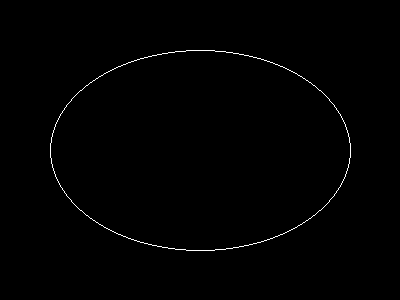
Beispiel #1 imageellipse() example
<?php

// Create a blank image.
$image = imagecreatetruecolor(400, 300);

// Select the background color.
$bg = imagecolorallocate($image, 0, 0, 0);

// Fill the background with the color selected above.
imagefill($image, 0, 0, $bg);

// Choose a color for the ellipse.
$col_ellipse = imagecolorallocate($image, 255, 255, 255);

// Draw the ellipse.
imageellipse($image, 200, 150, 300, 200, $col_ellipse);

// Output the image.
header("Content-type: image/png");
imagepng($image);

?>
Das oben gezeigte Beispiel erzeugt eine ähnliche Ausgabe wie:
Anmerkungen
Hinweis:
imageellipse() ignores imagesetthickness().
Siehe auch
- imagefilledellipse() - Draw a filled ellipse
- imagearc() - Zeichnet einen Bogen
+add a note
User Contributed Notes 3 notes
simon_nuttall at hotmail dot com 
20 years ago
julian 
21 years ago
if you want to display an ellipse in the upper left corner of an image, you can easily calculate the corresponding cx and cy values. this example will draw an ellipse having the same width and height as the image.

<?php

$ellipse_width = 100;
$ellipse_height = 200;

$ellipse_cx = ($ellipse_width / 2);
$ellipse_cy = ($ellipse_height / 2);

$img_x = $ellipse_width;
$img_y = $ellipse_height;

$img = imagecreate($img_x, $img_y);
$bg = imagecolorallocate($img, 255,255,255);

$ellipse_color = imagecolorallocate($img, 0, 0, 0);

imageellipse($img, $ellipse_cx, $ellipse_cy, $ellipse_width, $ellipse_height, $ellipse_color);

header("Content-type: image/png");
imagepng($img);
imagedestroy($img);

?>
agentyoungsoo at hanmail dot net 
23 years ago
When you wana use "ImageEllipse" function
in under GD 2.0.2 version, you can use "ImageArc" like bellow

----------------------------------------------------
$file_name = "test.png";

$screen_x = 300;
$screen_y = 200;

$x1 = $screen_x / 2;
$y1 = $screen_y / 2;

$radius = 30;

$image = ImageCreate($screen_x, $screen_y);
$black = ImageColorAllocate($image, 0,0,0);

ImageArc($image, $x1, $y1, $radius , $radius , 0, 360, $black);

ImagePng($image, $file_name);
ImageDestroy($image);
----------------------------------------------------