This is an optimised and bug fixed version of nojer at yahoo dot com's rotatedellipse function. I've changed it so that the arguments are compatible with imageellipse. See notes on imagearc for original version.
<?php
function rotatedellipse($im, $cx, $cy, $width, $height, $rotateangle, $colour, $filled=false) {
// modified here from nojer's version
// Rotates from the three o-clock position clockwise with increasing angle.
// Arguments are compatible with imageellipse.
$width=$width/2;
$height=$height/2;
// This affects how coarse the ellipse is drawn.
$step=3;
$cosangle=cos(deg2rad($rotateangle));
$sinangle=sin(deg2rad($rotateangle));
// $px and $py are initialised to values corresponding to $angle=0.
$px=$width * $cosangle;
$py=$width * $sinangle;
for ($angle=$step; $angle<=(180+$step); $angle+=$step) {
$ox = $width * cos(deg2rad($angle));
$oy = $height * sin(deg2rad($angle));
$x = ($ox * $cosangle) - ($oy * $sinangle);
$y = ($ox * $sinangle) + ($oy * $cosangle);
if ($filled) {
triangle($im, $cx, $cy, $cx+$px, $cy+$py, $cx+$x, $cy+$y, $colour);
triangle($im, $cx, $cy, $cx-$px, $cy-$py, $cx-$x, $cy-$y, $colour);
} else {
imageline($im, $cx+$px, $cy+$py, $cx+$x, $cy+$y, $colour);
imageline($im, $cx-$px, $cy-$py, $cx-$x, $cy-$y, $colour);
}
$px=$x;
$py=$y;
}
}
function triangle($im, $x1,$y1, $x2,$y2, $x3,$y3, $colour) {
$coords = array($x1,$y1, $x2,$y2, $x3,$y3);
imagefilledpolygon($im, $coords, 3, $colour);
}
?>imageellipse
(PHP 4 >= 4.0.6, PHP 5, PHP 7, PHP 8)
imageellipse — 画椭圆
说明
imageellipse(
GdImage
int
int
int
int
int
): bool
GdImage
$image,int
$center_x,int
$center_y,int
$width,int
$height,int
$color): bool
绘制以指定坐标为中心的椭圆。
参数
-
image 由图象创建函数(例如imagecreatetruecolor())返回的 GdImage 对象。
center_x-
中间的 x 坐标。
center_y-
中间的 y 坐标。
width-
椭圆的宽度。
height-
椭圆的高度。
color-
椭圆的颜色。颜色标识符使用 imagecolorallocate() 创建。
示例
示例 #1 imageellipse() 示例
<?php

// 新建一个空白图像
$image = imagecreatetruecolor(400, 300);

// 填充背景色
$bg = imagecolorallocate($image, 0, 0, 0);

// 选择椭圆的颜色
$col_ellipse = imagecolorallocate($image, 255, 255, 255);

// 画一个椭圆
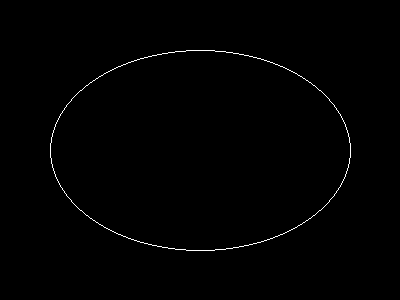
imageellipse($image, 200, 150, 300, 200, $col_ellipse);

// 输出图像
header("Content-type: image/png");
imagepng($image);


?>
以上示例的输出类似于:
注释
注意:
imageellipse() 忽略 imagesetthickness()。
参见
- imagefilledellipse() - 绘制椭圆并填充
- imagearc() - 画弧线
+添加备注
用户贡献的备注 3 notes
simon_nuttall at hotmail dot com 
19 years ago
julian 
20 years ago
if you want to display an ellipse in the upper left corner of an image, you can easily calculate the corresponding cx and cy values. this example will draw an ellipse having the same width and height as the image.

<?php

$ellipse_width = 100;
$ellipse_height = 200;

$ellipse_cx = ($ellipse_width / 2);
$ellipse_cy = ($ellipse_height / 2);

$img_x = $ellipse_width;
$img_y = $ellipse_height;

$img = imagecreate($img_x, $img_y);
$bg = imagecolorallocate($img, 255,255,255);

$ellipse_color = imagecolorallocate($img, 0, 0, 0);

imageellipse($img, $ellipse_cx, $ellipse_cy, $ellipse_width, $ellipse_height, $ellipse_color);

header("Content-type: image/png");
imagepng($img);
imagedestroy($img);

?>
agentyoungsoo at hanmail dot net 
23 years ago
When you wana use "ImageEllipse" function
in under GD 2.0.2 version, you can use "ImageArc" like bellow

----------------------------------------------------
$file_name = "test.png";

$screen_x = 300;
$screen_y = 200;

$x1 = $screen_x / 2;
$y1 = $screen_y / 2;

$radius = 30;

$image = ImageCreate($screen_x, $screen_y);
$black = ImageColorAllocate($image, 0,0,0);

ImageArc($image, $x1, $y1, $radius , $radius , 0, 360, $black);

ImagePng($image, $file_name);
ImageDestroy($image);
----------------------------------------------------