There is very little information about this function so I thought I'd add a few notes I found while trying to get this
working.
First make sure your version of PHP is above 4.3.2 I spent an hour searching goggles 13000+ mirrors of this same page and
finally found the info I needed at AltaVista, there is a bug in PHP 4.3.2 that makes this none functional.
if your creating the base image you need to create it with imageCreateTrueColor() if your using a PNG with transparency, I
found even nullifying the PNG's transparency with GD doesn't work. the tiling PNG has to be created without transparency to work with imageCreate(). but from what I've seen imageCreateFromXXX() can use transparent and nonetransparent PNG's.
here is an example.
<?php
$diagramWidth = 300;
$diagramHeight = 50;
$image = imageCreateTrueColor ($diagramWidth, $diagramHeight);
$imagebg = imageCreateFromPNG ('tile.png'); // transparent PNG
imageSetTile ($image, $imagebg);
imageFilledRectangle ($image, 0, 0, $diagramWidth, $diagramHeight, IMG_COLOR_TILED);
$textcolor1 = imageColorAllocate ($image, 80, 80, 80);
$textcolor2 = imageColorAllocate ($image, 255, 255, 255);
imageString ($image, 3, 10, 20, 'Transparent PNG Tile Test...', $textcolor1);
imageString ($image, 3, 9, 19, 'Transparent PNG Tile Test...', $textcolor2);
Header("Content-type: image/png");
imagePNG ($image);
imagedestroy ($image);
imagedestroy ($imagebg);
?>
hope this helps someone else!
Aquiloimagesettile
(PHP 4 >= 4.0.6, PHP 5, PHP 7, PHP 8)
imagesettile — Görüntüyü doldurmak için döşemeyi etkin kılar
Açıklama
imagesettile() işlevi, imagefill()
ve imagefilledpolygon() gibi görüntü doldurma işlevleri
tarafından özel IMG_COLOR_TILED rengiyle doldurulmak
üzere görüntü döşemeyi etkin kılar.
Bir karo, görüntü alanını doldurmak üzere yinelenen bir görüntü karesidir. Karo olarak herhangi bir GD görüntüsü kullanılabilir ve karo görüntüsüne imagecolortransparent() ile şeffaf renk indisi atanabilir. Bir karo, döşeneceği alanın belli parçaları parlak olacak şekilde oluşturulabilir.
Dikkat
Bir karo ile işiniz bittiğinde özel bir işlem yapmanız gerekmez, fakat
eğer karo görüntüsünü silerseniz (ya da PHP'nin yok etmesine izin
verirseniz), yeni bir karo görüntüsü oluşturana kadar
IMG_COLOR_TILED rengini kullanmamalısınız!
Bağımsız Değişkenler
görüntüimagecreatetruecolor() gibi bir görüntü oluşturma işlevinden dönen bir GdImage nesnesi.
karo-
Bir karo olarak kullanılacak görüntü nesnesi.
Sürüm Bilgisi
| Sürüm: | Açıklama |
|---|---|
| 8.0.0 |
görüntü ve karo
artık GdImage nesnesi; evvelce
resource türünde bir değer olmalıydı.
|
Örnekler
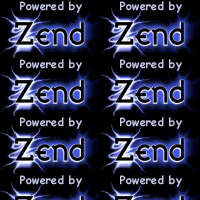
Örnek 1 - imagesettile() örneği
<?php
// Bir görüntü yükleyelim
$zend = imagecreatefromgif('./zend.gif');

// 200x200 bir görüntü oluşturalım
$im = imagecreatetruecolor(200, 200);

// Döşemeyi etkin kılalım
imagesettile($im, $zend);

// Yüklediğimiz görüntünün döşenmesini sağlayalım
imagefilledrectangle($im, 0, 0, 199, 199, IMG_COLOR_TILED);

// Görüntüyü tarayıcıya gönderelim
header('Content-Type: image/png');

imagepng($im);
imagedestroy($im);
imagedestroy($zend);
?>
Yukarıdaki örnek şuna benzer bir çıktı üretir:
+add a note
User Contributed Notes 2 notes
aquilo at xtram dot net 
19 years ago
onion at ooer dot com 
18 years ago
If you're using a tile image that has some form of transparency you'll need to make sure your destination image is set to use alpha blending. By default it will be, but if for any reason you've changed it you'll need to do:

imagealphablending($image,true);

before any operation using IMG_COLOR_TILED.